 SIGN-UP FOR THE MHPS NEWSLETTER!








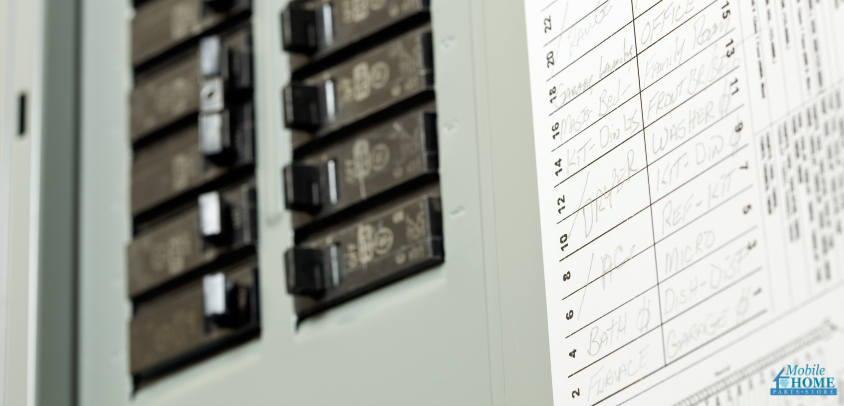
When a circuit breaker trips, everything stops — lights go out, appliances power down, and you’re left at the panel flipping switches to bring things back to life. Circuit breakers shut off power the moment a circuit pulls more current than it’s rated to handle—like when too many devices or appliances are running at once. That quick “off” keeps wires from overheating and stops electricity from reaching outlets, switches, and fixtures until things are safe again.
Most of the time, a simple reset after you reduce the load brings everything back. If it won’t reset, or it trips again with only a light load, the breaker itself may be worn out. Breakers aren’t repaired—when one fails, you replace it. The steps below walk you through that swap clearly, so you can restore reliable power and keep your system protected.
Safety First: Set the Stage Before You Start
Before anything else, it’s worth pausing to make sure your workspace is safe. A few quick steps now will let you focus fully on the task later.
Start by unplugging everything on the affected circuit — lamps, appliances, chargers, anything that might draw power. Keep your hands dry, wear shoes with rubber soles, and stand on a dry surface (a scrap of plywood works if you’re on concrete).
Then, turn off the main breaker to cut power to the entire panel. Don’t just assume it’s off: use a non-contact voltage tester to double-check. When you open the panel cover, stand slightly off to the side as you do, just in case there’s a spark.
With the panel confirmed safe, you can start narrowing down what’s really causing the problem.
Confirm the Breaker Is the Issue
Sometimes the issue isn’t the breaker at all. Circuit breakers are designed to trip if too much current flows through them — it’s their way of keeping your wiring safe. Before replacing anything, it’s smart to rule out other possibilities.
Here’s a quick way to do that:
- Unplug everything on the circuit.
- Reset the breaker and see if it holds.
- Plug devices back in one at a time. If it trips when you plug in something specific, that device might be the cause.
If the breaker still won’t stay on, check for signs it’s wearing out:
- Feels warm or hot to the touch
- Smells like burning plastic
- Makes humming, buzzing, or crackling sounds
- Shows rust, corrosion, or scorch marks
- Trips often during normal use
- Lights on that circuit flicker when little is running
If these signs are showing up, it’s time to plan a quick swap.
Gather What You’ll Need
Once you know a replacement is needed, getting your tools together makes the job go more smoothly from start to finish. Having everything nearby means you won’t have to stop midway.
You’ll need:
- A new circuit breaker that matches the brand, type, and amperage rating of the old one
- A flathead or Phillips screwdriver
- A non-contact voltage tester or multimeter
- Safety glasses and insulated gloves
- A flashlight or headlamp if the panel area is dim
Check the specs on your new breaker before starting — using the correct type is key to keeping your electrical system safe and reliable.
Removing the Old Circuit Breaker
With the main power off and your tools ready, it’s time to get into the panel. This part is just careful, step-by-step work.
- Unscrew and remove the panel cover.
- Locate the breaker you’re replacing (it should be labeled, or you already know which one’s been tripping).
- Disconnect the wire by loosening the terminal screw and gently moving the wire aside.
- Pull the breaker out. Push it away from the center bus bar and lift it free.
A quick tip: snap a photo of the wiring before you disconnect anything. It’s a simple way to make reassembly stress-free.
Installing the New Breaker
Once the old breaker is out, putting the new one in place is straightforward — you’re just reversing the process.
- Snap the new circuit breaker into place by hooking its outer tab into the slot, then pressing it firmly toward the bus bar until it clicks.
- Reconnect the circuit wire to the breaker terminal and tighten the screw snugly.
- Make sure all other breakers are OFF.
- Reattach the panel cover and tighten the screws.
- Turn on the main breaker, then flip the new breaker to the ON position.
Now give it a quick test. Turn on a light or plug in a small appliance to confirm the circuit is working as it should.
After the Replacement: Keep an Eye on It
Getting the breaker in is the big step, but it’s still worth watching things for a few days.
If the breaker trips again immediately, that could point to a wiring issue or short circuit rather than the breaker itself, and that’s a good time to call in an electrician. Otherwise, do occasional quick checks — touch the panel to make sure it’s staying cool, listen for buzzing, and watch for flickering lights. Small checks now help prevent bigger issues later.
Steady Power, Simple Follow-Through
Turn the main back on, switch the new breaker to ON, and confirm the lights and outlets on that circuit work as expected. Over the next day or two, do quick checks: the panel cover stays cool to the touch, there’s no buzzing, no sharp or burnt smells, and no flicker under normal use. Label the breaker and note its amperage so the next fix is straightforward.
If the breaker keeps tripping, it’s time for a pro—a licensed electrician has the expertise and tools necessary to diagnose problems inside your walls and address underlying issues.
When you’re ready for parts—or keeping a spare on hand—Mobile Home Parts Store carries dependable circuit breakers and panel accessories sized for common mobile-home setups.
Tags: circuit breakers, electrical, electrical problems, how to

